Inside DeltaRoomCraft
DeltaRoomCraft is our own room planning app for iPhone: scan a room, plan it at true scale, lay furniture out and hand the carpenter a spec in mm.
Published
28 OCT 2026
Author
Mayur Tanna
Category
SPATIAL COMPUTING
DeltaRoomCraft is our own room planning app for iPhone: scan a room, plan it at true scale, lay furniture out and hand the carpenter a spec in mm.
It builds the floor plan from the room's real dimensions and checks every piece against it. This is how it works, the decisions behind it, and what we left out on purpose.
What we built
Interior apps have become very good at pictures. Upload a photo of your room and a few seconds later it is restyled, beautifully. But a photo carries no dimensions, so nothing ever checks whether that sofa fits the wall it is drawn against. The picture looks right; the furniture arrives and does not fit.
In most Indian homes the problem is sharper, because much of the furniture is not bought off a shelf at all. The wardrobe, the TV unit and the kitchen run are made by a carpenter, to a size, for that room. A shopping link is no use to a carpenter. A measurement is.
So the rule for DeltaRoomCraft is simple: a render is a mood, a plan is a decision. We built the plan.
How it works, in four steps
- 01Scan. Walk the room once with an iPhone. The LiDAR sensor builds the shell: walls, corners, door and window openings, ceiling height.
- 02Plan. A dimensioned floor plan of that room, every wall and clear run in metres.
- 03Choose. Say what the room is for: hall, kitchen, bedroom or living. The room type decides what belongs in it and what has to stay reachable.
- 04Furnish. Two or three layouts at true scale, every piece already checked against the plan, and a carpenter spec for anything made to size.
Decision 1: Start from the measurement, not the photo
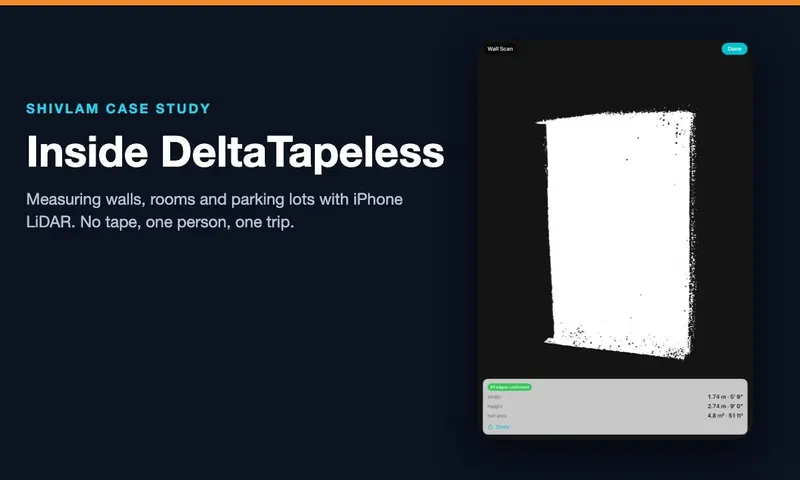
We did not start from scratch. The scan and the floor plan come from the capture engine we built for DeltaTapeless, our LiDAR measurement app, which already turns a walk around a room into a dimensioned plan. That gives RoomCraft a hard boundary: nothing can be placed outside the measured walls, because there is nowhere outside them to place anything.
Decision 2: Check the fit before showing the layout
Most planners let you drag anything anywhere and leave you to notice the problem. We did it the other way round. Before a layout is shown, every piece is checked against the plan: the clear run of wall, the walkway beside the bed, the swing of a door or a wardrobe shutter, the space to pull out a drawer, the work triangle in a kitchen. A piece that does not fit is never offered. You choose between layouts that work, not filter out the ones that do not.
Decision 3: Made to size, with a carpenter sheet
This is the part we have not seen anyone else build. When a unit is made to size, the app resizes it to the alcove or wall it was measured against and produces a spec sheet in millimetres: the carcass, the shutters, the loft, the shelves, the hanging rail, with a cut list. For example, a wardrobe drawn for a 2140 mm alcove at 2450 mm high and 560 mm deep: every part recalculates if the measured alcove changes.
The sheet is the hand-over. The homeowner or designer sends it to the carpenter, and the carpenter builds from numbers instead of a photo on a phone.
Decision 4: A small catalogue at real Indian sizes
We are not chasing millions of 3D models. The library is small on purpose and sized for how Indian homes are furnished: queen and king beds, two and three seater sofas, dining sets, standard wardrobe and kitchen depths. A small catalogue that is accurate is worth more here than a large one that is approximate.
Decision 5: Vastu as a layer, not a rule
Many families ask about Vastu, and many do not. So it is a layer that is off by default. When it is on, orientation is taken into account in where things are placed, and when Vastu and the geometry disagree the app says so, rather than one silently overruling the other.
What we left out on purpose
Photo-realistic renders and AI restyling of room photos. They are impressive, and they are the category RoomCraft is the answer to. The 3D view shows finishes simply, as a way to read the plan, not to replace it.
What it does
| Part | What it does |
|---|---|
| Room capture | LiDAR scan of the room on iPhone |
| Floor plan | Walls, openings and ceiling height, every dimension labelled |
| Furniture | A library at true Indian sizes |
| Layouts | Fit checks before any layout is shown |
| Made to size | Units resized to the measured wall, with a carpenter spec sheet in mm |
| Vastu | An optional layer, off by default |
Who it is for
- Homeowners: see what fits before spending anything.
- Interior designers: a measured base plan from one walkthrough.
- Carpenters and fabricators: millimetres, not a photo on a phone.
- Real estate and rentals: staging at the room's real dimensions.
Stack
| Part | Technology |
|---|---|
| Devices | iPhone Pro models with LiDAR, no extra hardware |
| Capture | The DeltaTapeless capture engine, on the device |
| Planning | Fit checks and layouts generated inside the measured plan |
| Output | Dimensioned floor plan and a carpenter spec sheet in mm |
Read more
- DeltaRoomCraft: the product site
- Inside DeltaTapeless: the LiDAR measurement app it is built on
- Inside DeltaARBIM: building AR BIM for live sites
- LiDAR measurement: what phone LiDAR can and cannot do
Plan the room you actually have: see DeltaRoomCraft. Building a spatial or LiDAR app of your own? Tell us what you are trying to build.